
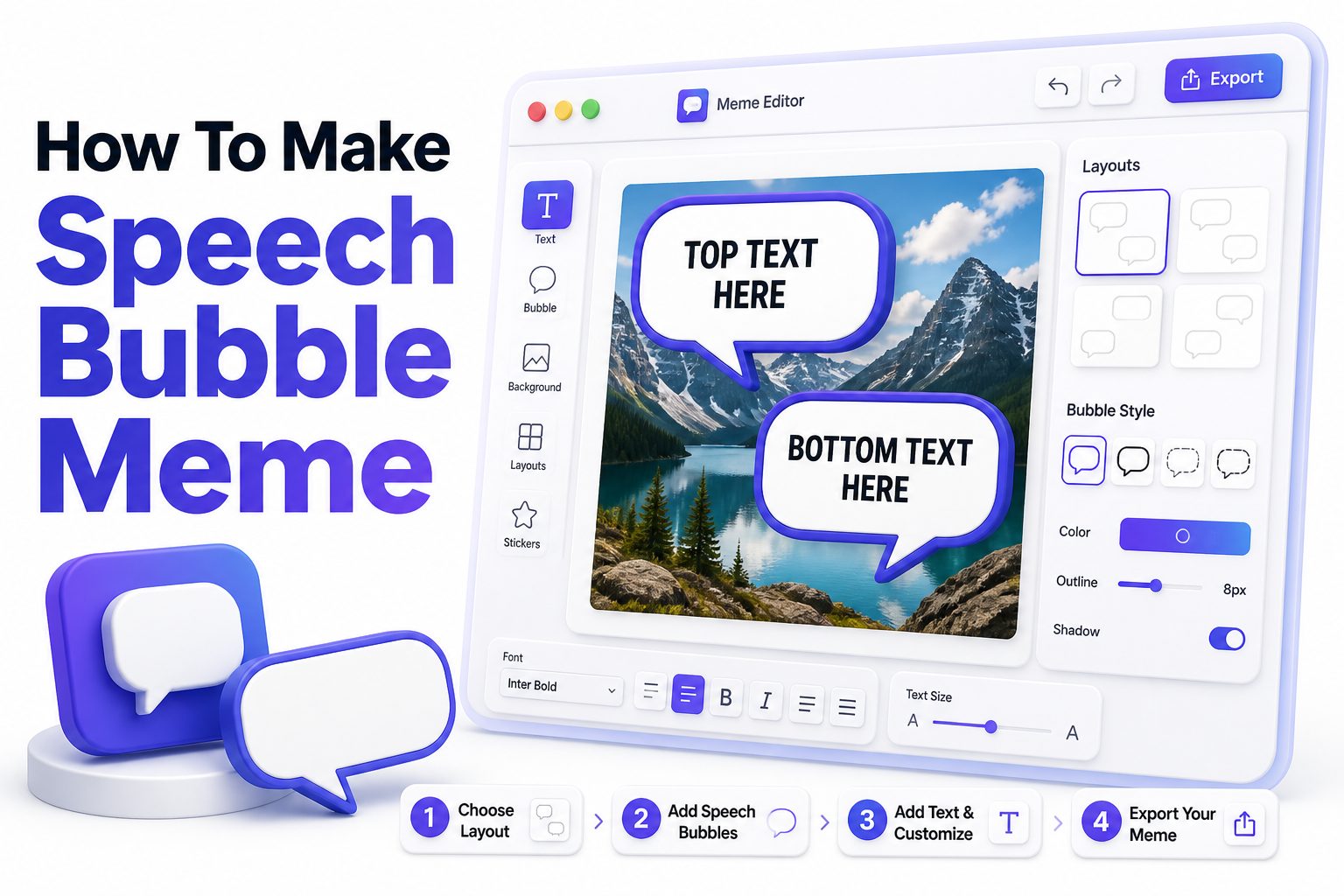
Making a speech bubble meme looks simple, but the best ones usually have more thought behind them than people expect. The placement of the bubble, the expression in the image, the font size, and even the amount of empty space can decide whether the joke lands or gets ignored. If you want to learn how to make speech bubble meme content that feels funny, clean, and easy to share, the process starts with choosing the right image and matching it with the right line.
Speech bubble memes work because they turn ordinary photos, screenshots, reaction images, pets, celebrities, cartoons, or game characters into someone “saying” something unexpected. That small visual trick creates instant context. Instead of writing a caption above an image, the joke becomes part of the scene. This guide walks through the practical steps, tools, design choices, and common mistakes so you can create memes that look polished without losing their casual internet humor.
Why Speech Bubble Memes Work So Well
Speech bubble memes feel familiar because people already understand comic-style dialogue. The bubble tells the viewer exactly who is speaking, which makes the joke faster to read. That speed matters online, where people decide within seconds whether to keep scrolling or share something.
They also create personality. A silent image becomes a character with an opinion, complaint, confession, or absurd thought. The contrast between the face in the picture and the words in the bubble often creates the humor, especially when the image looks serious, awkward, dramatic, or overly cute.
Choosing the Right Image for a Speech Bubble Meme
The image should have a clear subject, preferably with a visible face or expressive pose. Reaction images, animals, movie stills, anime screenshots, and gaming moments work especially well because viewers can quickly understand who the “speaker” is without needing extra explanation.
Avoid images that are too busy or crowded. If the viewer has to search for the subject, the speech bubble loses impact. A clean composition with one obvious person, character, or object gives your text room to breathe and makes the meme easier to read on phones.
Quick Image Selection Checklist
- Choose one clear speaker in the image.
- Pick a face or pose with strong emotion.
- Avoid cluttered backgrounds behind the text.
- Use a high-resolution image when possible.
- Leave enough open space for the speech bubble.
- Make sure the joke matches the speaker’s expression.
- Avoid copyrighted brand use for commercial posts unless you have rights.
Best Tools to Create Speech Bubble Memes
You can make speech bubble memes with simple online meme generators, mobile editing apps, or full design tools. For fast results, tools like Canva, Kapwing, Imgflip, Picsart, and Adobe Express are beginner friendly and offer text, shapes, and export options without much setup.
If you want more control, use Photoshop, Photopea, GIMP, or Figma. These tools let you adjust bubble shape, tail direction, spacing, stroke width, and layering more precisely. The best tool is usually the one that helps you work quickly while keeping the final image readable.
Online Meme Generators Versus Design Apps
Online meme generators are useful when you want to make something quickly and share it immediately. They often include templates, simple text controls, and direct export buttons. The downside is that some add watermarks, limit customization, or compress the final image.
Design apps take longer but give cleaner results. You can choose better fonts, position the bubble exactly, and export in higher quality. If you plan to post memes regularly for a page, brand, community, or campaign, a design app is usually worth the extra effort.
Tool Comparison Table
Tool Type | Best For | Main Advantage | Possible Limitation
Online meme generator | Fast casual memes | Quick setup | Limited styling
Canva or Adobe Express | Social media posts | Easy templates | Some assets may be paid
Picsart or mobile editors | Phone editing | Convenient creation | Smaller workspace
Photopea or Photoshop | Detailed control | Professional editing | Takes more skill
Figma | Repeatable meme formats | Great layout control | Less casual for beginners
How to Add a Speech Bubble Correctly
Start by placing the bubble near the speaker’s head, but do not cover important facial features. The tail of the bubble should point clearly toward the mouth, face, or subject. If the tail points vaguely into empty space, the meme can look sloppy.
Keep the bubble large enough for the text but not so large that it dominates the image. A good speech bubble supports the joke without stealing attention from the visual. The viewer should see the face, read the line, and connect both instantly.
Picking the Right Font and Text Size
Use a clean, bold, readable font. Classic meme fonts work, but speech bubble memes often look better with comic-style or simple sans-serif fonts. The goal is not fancy typography. The goal is instant readability on a small screen.
Text size should be large enough for mobile viewing, with comfortable spacing between lines. Avoid squeezing a long sentence into a small bubble. If the joke needs too many words, rewrite it shorter. Strong memes often use direct, punchy wording.
Text Formatting Tips
- Use black text on a white bubble for maximum clarity.
- Keep the sentence short and natural.
- Avoid tiny text, especially for mobile posts.
- Use line breaks where they improve rhythm.
- Center the text only when it looks balanced.
- Leave padding between the words and bubble edge.
- Test readability by zooming out before exporting.
Writing Funny Text for a Speech Bubble Meme
The funniest speech bubble text often sounds like something the subject would never actually say, or exactly what everyone imagines they are thinking. That tension creates the joke. A serious face saying something petty, dramatic, or oddly specific can work very well.
Write the line in everyday language. Memes rarely benefit from polished corporate wording. The voice should feel conversational, timed, and easy to repeat. If it sounds like a real person muttering, reacting, or overthinking, it will usually feel more shareable.
Using Context Without Overexplaining
A good meme gives enough context for the joke to land but does not explain every detail. Viewers enjoy filling in part of the meaning themselves. If you describe the joke too much inside the bubble, the humor becomes slower and weaker.
Use references carefully. A niche joke can perform well inside the right community, but it may confuse general audiences. If you are posting to a broad audience, choose common situations like work stress, group chats, food cravings, online shopping, school, gaming, or awkward social moments.
Placement Rules That Improve Readability
Place the bubble in open space whenever possible. Sky, walls, plain backgrounds, desks, or empty corners are ideal. If the image has no empty space, add a semi-clean area with slight blur, crop the image differently, or choose another photo.
Do not hide the strongest part of the image. Covering the eyes, mouth, hands, or key action can weaken the joke. The bubble should feel like it belongs in the image, not like a sticker dropped carelessly over the best visual detail.
Common Layout Mistakes
- Placing the bubble over the speaker’s face.
- Pointing the tail at the wrong person.
- Using text that touches the bubble edge.
- Adding too many words in one bubble.
- Choosing a font that looks decorative but hard to read.
- Exporting a blurry or compressed image.
- Leaving the bubble floating without a clear speaker.
Creating a Meme on Desktop
On desktop, start by opening your image in a design tool and setting the canvas to the platform size you need. Square formats work well for Instagram feeds, vertical formats suit Stories and TikTok covers, while wider images may work better for forums and blogs.
Add a white rounded speech bubble, apply a black or dark outline, then insert your text. Adjust the tail so it points toward the subject. Before exporting, zoom out to check whether the meme still reads clearly at thumbnail size.
Creating a Meme on Mobile
Mobile apps make the process fast if your image is already saved on your phone. Open the photo, add a speech bubble sticker or shape, then type your line. Resize the bubble with your fingers, keeping enough white space around the text.
Be careful with mobile exports. Some apps reduce quality or add watermarks unless settings are changed. Save at the highest available resolution, then preview the image in your gallery. If the text looks small there, it will look smaller in a social feed.
Simple Desktop Workflow
Step 1: Choose a clear image with one speaker.
Step 2: Open the image in your preferred editor.
Step 3: Add a white speech bubble with a visible outline.
Step 4: Point the bubble tail toward the speaker.
Step 5: Add short, readable text.
Step 6: Check the image at small size.
Step 7: Export as PNG or high-quality JPG.
Using Templates for Faster Meme Creation
Templates are helpful when you want a consistent style. You can create one layout with a bubble, font, outline, and export size, then swap the image and text each time. This saves time and keeps your memes visually recognizable.
A template is especially useful for meme pages, brands, newsletters, and community accounts. Consistency helps people recognize your posts, but the format should still leave room for different images. Keep the template flexible enough to work with faces, pets, objects, and screenshots.
Making Speech Bubble Memes for Social Media
Different platforms reward different formats. Instagram favors clear square or vertical images. X and Reddit often reward fast jokes with minimal design. TikTok and YouTube Shorts may use speech bubble memes as still frames, thumbnails, or quick visual punchlines.
Before posting, think about where the meme will appear. A meme that reads well on desktop may feel cramped on a phone. If your audience mostly scrolls on mobile, prioritize bigger text, cleaner backgrounds, and fewer words in the speech bubble.
Platform Formatting Guide
Platform | Recommended Format | Best Practice
Instagram feed | Square or 4:5 vertical | Use bold readable text
Instagram Stories | 9:16 vertical | Keep text away from edges
Reddit | Flexible | Prioritize joke clarity
X | Landscape or square | Make text readable in preview
TikTok cover | 9:16 vertical | Use large bubble text
Pinterest | Tall vertical | Keep design clean and searchable
How to Make the Joke Feel Natural
The speech bubble should match the mood of the image. If the subject looks shocked, use a line that sounds surprised or panicked. If the subject looks smug, write something overly confident. Matching expression and wording makes the meme feel intentional.
Timing also matters. A short pause, unexpected final word, or specific detail can make the line funnier. Instead of writing “I am tired,” try a more human phrase like “I opened one email and need a break.” Specificity often makes memes more relatable.
Avoiding Overused Meme Lines
Some phrases have been used so often that they feel stale. Lines like “when you realize,” “me after,” or “that moment when” can still work, but they need a fresh angle. The speech bubble format gives you a chance to write more directly.
Try writing in first person instead. A speech bubble already shows who is talking, so you do not need a caption-style setup. “I said I was leaving 20 minutes ago” often feels stronger than “When you say you are leaving but stay.”
Writing Prompts for Better Meme Text
- Give the character an oddly specific complaint.
- Turn a common frustration into a dramatic statement.
- Make the subject confess something harmless but funny.
- Use contrast between the image and the line.
- Write like someone texting a close friend.
- Remove setup words that slow the joke.
- Read the line aloud before finalizing.
Design Details That Make Memes Look Cleaner
A clean speech bubble usually has a white fill, black outline, and enough internal padding. The tail should connect smoothly to the bubble. Uneven shapes can still work for a chaotic meme style, but clean design usually performs better for general sharing.
Shadows can help separate the bubble from the background, but keep them subtle. Heavy drop shadows, bright colors, and thick outlines can make the meme look dated. The design should support the punchline, not fight for attention.
Using Multiple Speech Bubbles
Multiple bubbles can work when two characters are speaking or when you want a back-and-forth joke. Keep the reading order obvious from top to bottom or left to right. Confusing order makes viewers work too hard.
Use multiple bubbles sparingly. Each added line slows the joke. If the meme depends on a conversation, make every line earn its place. For many images, one strong speech bubble is cleaner and funnier than a full dialogue scene.
Clean Design Checklist
- Bubble has enough padding around the text.
- Font is readable at mobile size.
- Bubble tail points to the correct speaker.
- Main facial expression remains visible.
- Background does not compete with text.
- Colors are simple and high contrast.
- Export quality is sharp enough for sharing.
File Formats and Export Settings
PNG is a strong choice for speech bubble memes because it preserves crisp text and clean shapes. JPG is fine for photo-heavy memes, but heavy compression can make text edges look fuzzy. If you have a choice, export at high quality.
Keep a copy of the editable file if you plan to reuse the format. This saves time when making variations later. For posting online, check the platform’s preferred dimensions and avoid uploading files that are much smaller than the display size.
Legal and Ethical Points to Keep in Mind
Casual meme sharing often uses existing images, but commercial use is different. If you are making memes for a brand, advertisement, product page, or paid campaign, use licensed images, original photos, public domain content, or assets you have permission to use.
Also avoid using private individuals in a mocking or harmful way. A funny speech bubble should not rely on harassment, false claims, or personal humiliation. Humor travels faster when it feels sharp without being needlessly cruel.
Useful Resources
- For caption writing ideas, see [Internal Link: Meme Caption Ideas].
- For image sizing help, see [Internal Link: Social Media Image Sizes].
- Use royalty-free image libraries when creating posts for business use.
- Save editable versions of your best-performing meme formats.
- Keep a small folder of reusable bubbles, fonts, and layout examples.
How to Make Speech Bubble Memes for Brands
Brands can use speech bubble memes, but the tone needs care. The meme should still feel casual and funny, not like an ad wearing a costume. Product mentions should be light, relevant, and tied to a real audience feeling.
For example, a coffee brand could use a tired-looking character saying, “I became reasonable after the second cup.” That works because it connects to a common habit. A forced sales message inside a speech bubble usually feels less shareable.
Testing Before You Post
Before posting, send the meme to one or two people who understand the audience. Ask what they think the joke means. If they need an explanation, the wording or image may need work. Memes should land quickly without extra context.
Check the meme on your phone as well. Many design mistakes only show up on small screens. If the text feels crowded, the bubble covers too much, or the image looks blurry, fix those issues before publishing.
Pre-Post Review List
- The joke is clear within a few seconds.
- The speaker is obvious.
- The text is short enough to scan.
- The image is not blurry.
- The bubble does not cover key details.
- The tone fits the audience.
- The post size matches the platform.
Advanced Ideas for Better Speech Bubble Memes
Once you know the basics, experiment with bubble style. A jagged bubble can suggest shouting. A small bubble can make a quiet or awkward line funnier. A thought bubble can change the joke from spoken dialogue to inner monologue.
You can also combine speech bubbles with reaction formats, screenshots, chat-style layouts, or carousel posts. For example, the first slide can show the setup, while the second slide reveals the speech bubble punchline. This works well for Instagram and LinkedIn humor.
Tracking What Performs Best
If you post memes regularly, pay attention to saves, shares, comments, and reposts. Likes are useful, but shares often show that people found the meme relatable enough to pass along. Strong speech bubble memes usually trigger quick tagging and quoting.
Keep notes on which images, topics, and text styles perform best. Over time, you will see patterns. Maybe your audience likes workplace jokes, gaming reactions, student humor, or pet memes. Use that feedback to sharpen future posts.
Performance Signals to Watch
Metric | What It Suggests
Shares | The meme feels relatable or funny enough to send
Comments | The topic sparked reactions or personal stories
Saves | The meme has lasting value or strong relatability
Profile visits | The post made people curious about your account
Low reach | The format, timing, or topic may need adjustment
Conclusion
Learning how to make speech bubble meme content is mostly about clarity, timing, and restraint. Start with an expressive image, place the bubble where it feels natural, write a short line that matches the subject’s expression, and check that everything reads well on a phone. The format is simple, but small choices make a big difference.
A strong speech bubble meme does not need complicated editing or expensive software. It needs a clear speaker, a readable layout, and wording that feels human. Whether you are making jokes for friends, building a meme page, or adding humor to brand content, keep the viewer’s first reaction in mind. If the image and text connect instantly, the meme has a much better chance of being shared.
FAQ
What app is best for speech bubble memes?
Canva, Kapwing, Picsart, and Adobe Express are easy choices for beginners. If you want more control over bubble shape, font spacing, and export quality, Photopea, Photoshop, or Figma can produce cleaner results.
What font should I use for a speech bubble meme?
Use a readable sans-serif or comic-style font with strong contrast. The font should look clear on mobile screens. Avoid thin, decorative, or overly stylized fonts that slow down reading.
How long should the text be?
Keep the speech bubble text short, usually one sentence or a quick phrase. If the joke needs several lines, trim it until the meaning is still clear but faster to read.
Can I use celebrity photos for memes?
Casual personal posting is common, but commercial use can create rights issues. For brand or paid content, use licensed images, original photos, public domain material, or assets you have permission to edit.
Why does my speech bubble meme look messy?
Most messy memes have crowded text, poor placement, low contrast, or a bubble covering the main expression. Use fewer words, add padding, place the bubble in open space, and export at higher quality.
0 Comments